
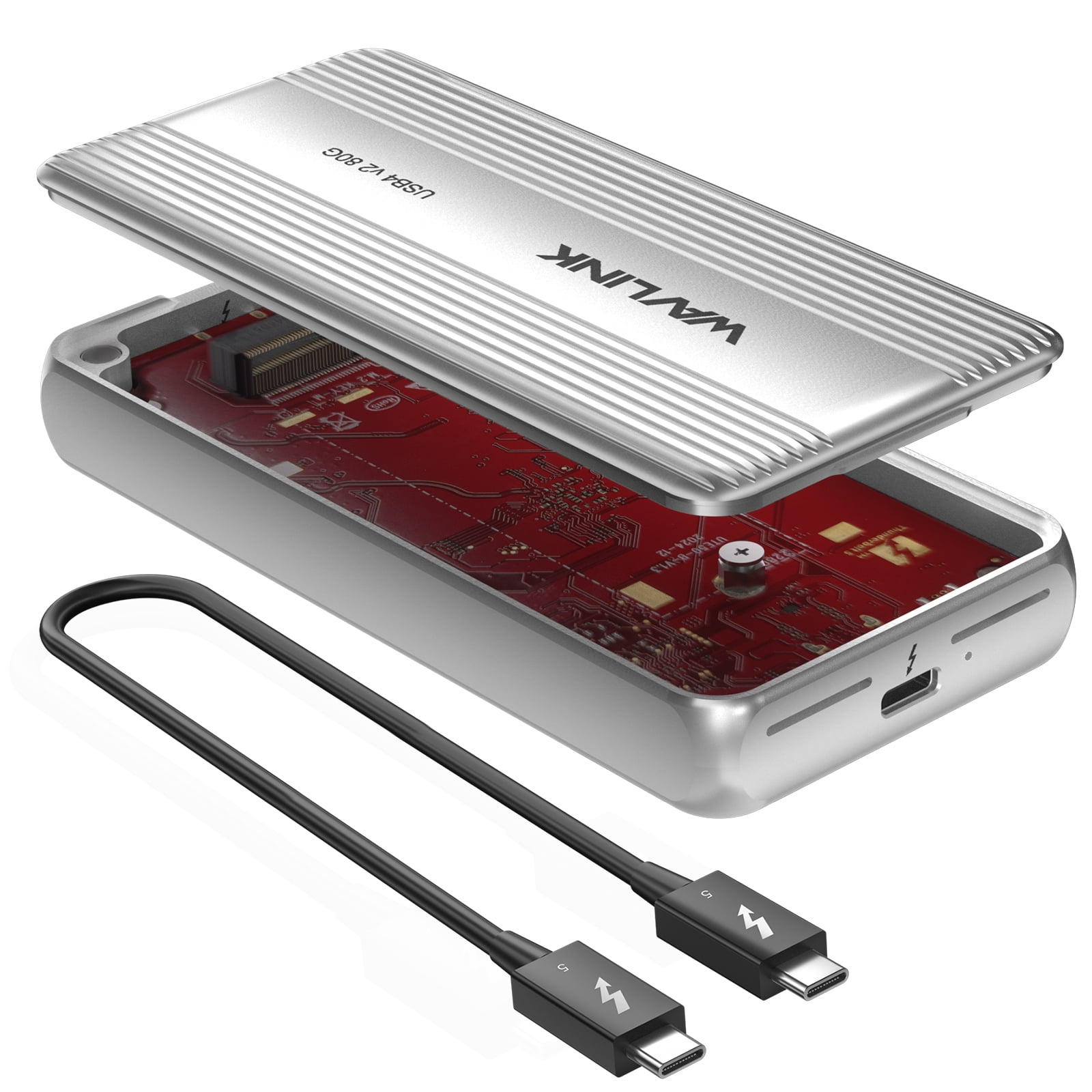
WAVLINK Thunderbolt 5/4 SSD Enclosure 80Gbps for USB4 V2 PCle Gen4 NVMe SSD Case, Support 6000MB/s Read & 5000MB/s Write Speed, Cooling Fan, Compatible with M4/M3/M2 Mac Laptops
Product details
| Management number | 230502078 | Release Date | 2026/06/18 | List Price | $68.40 | Model Number | 230502078 | ||
|---|---|---|---|---|---|---|---|---|---|
| Category | |||||||||
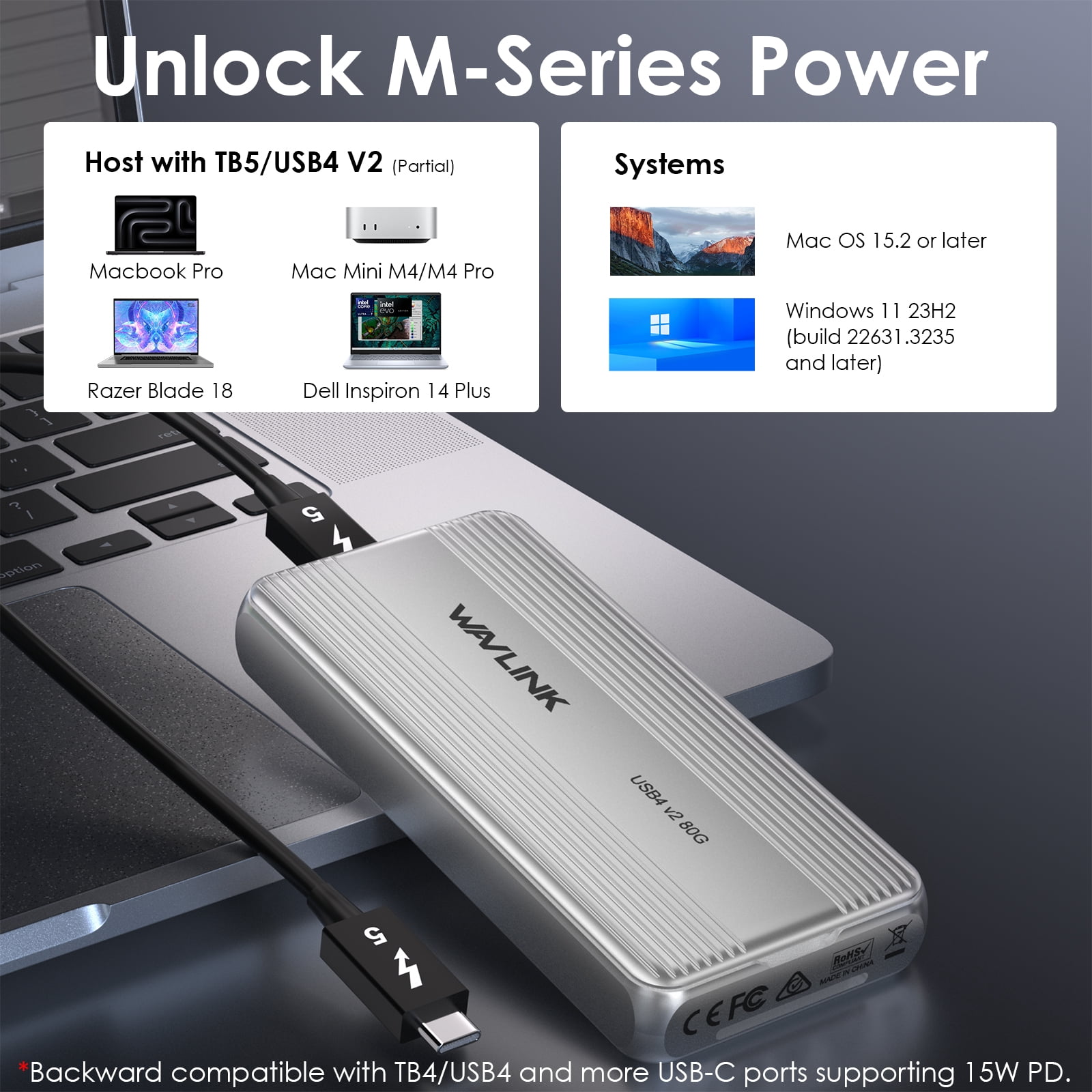
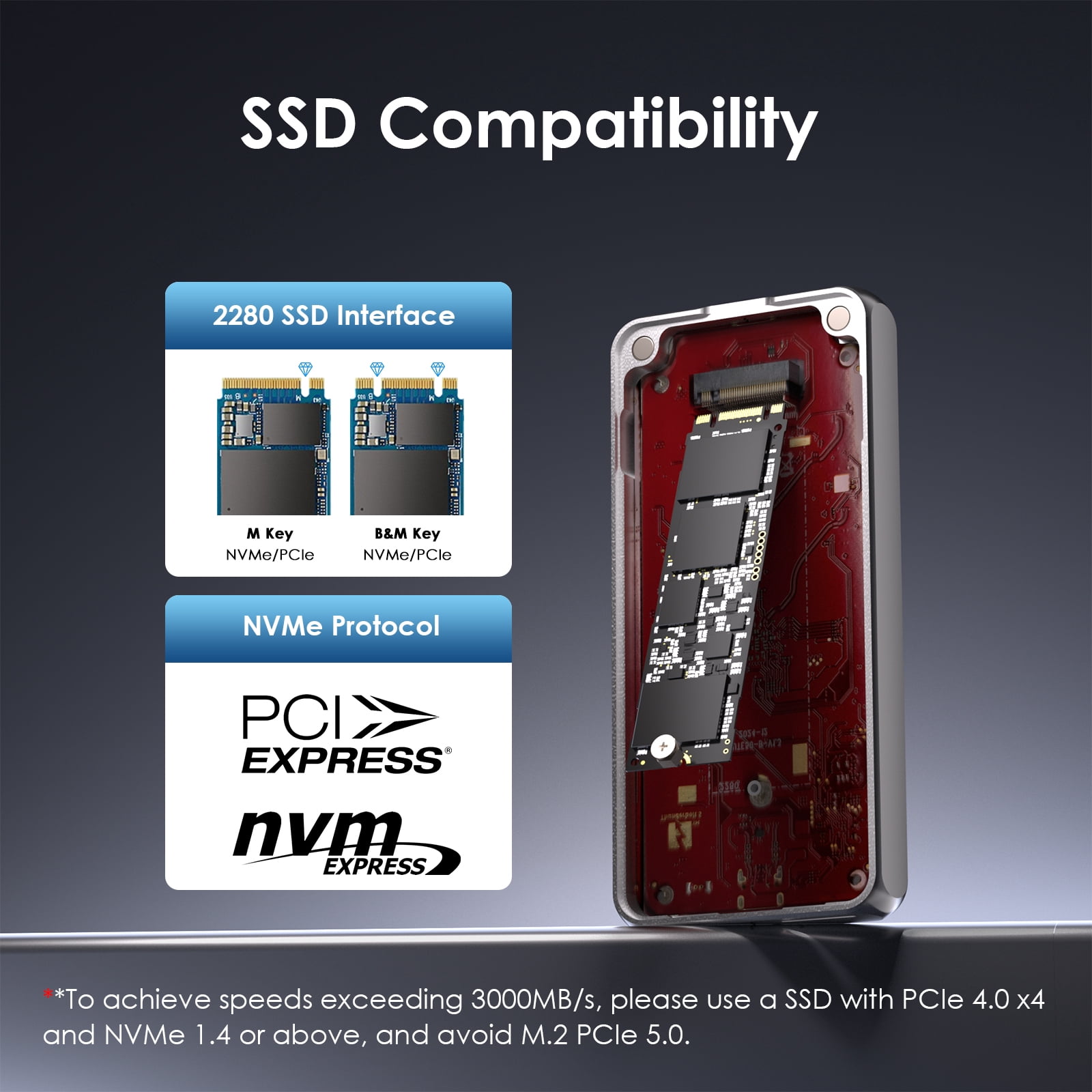
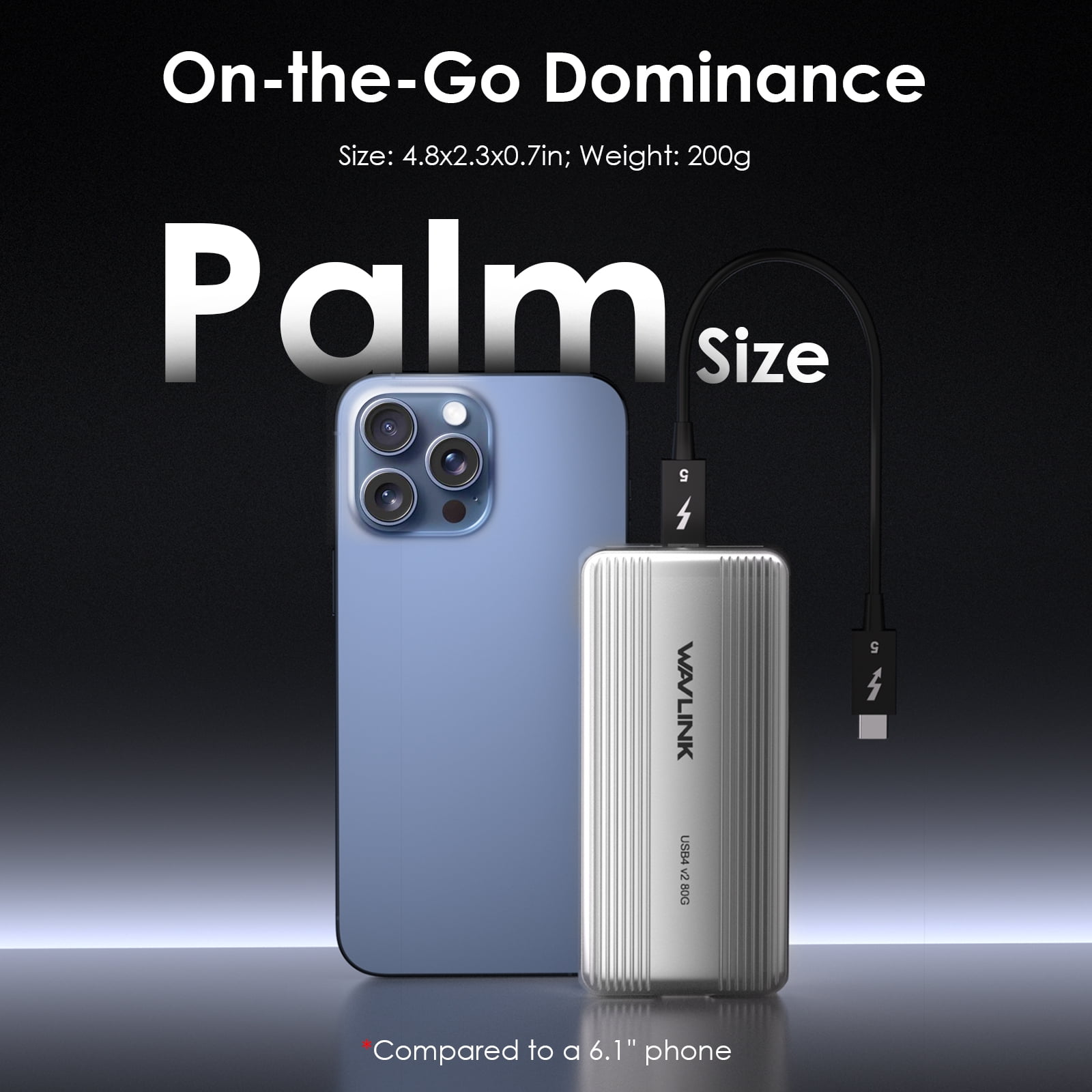
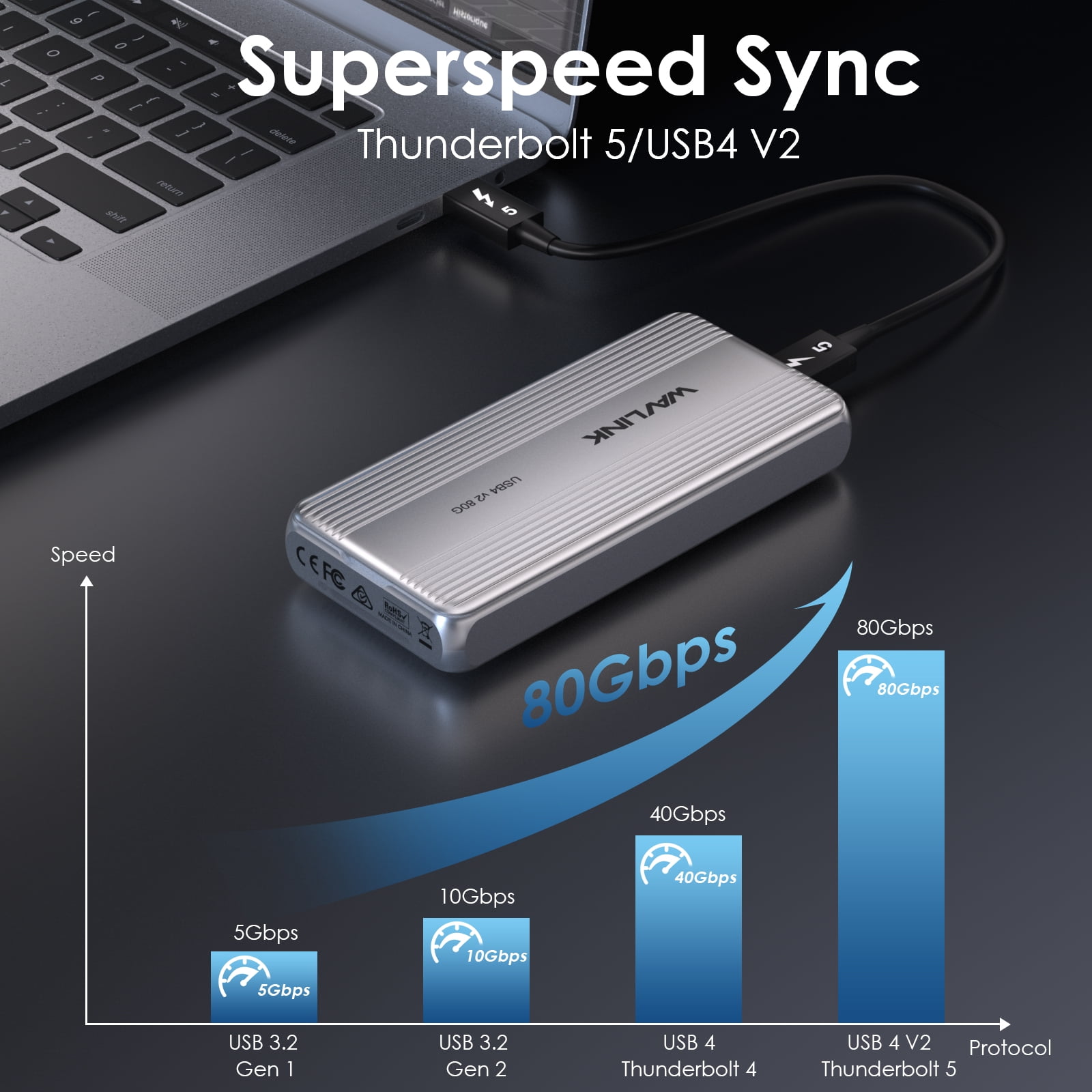
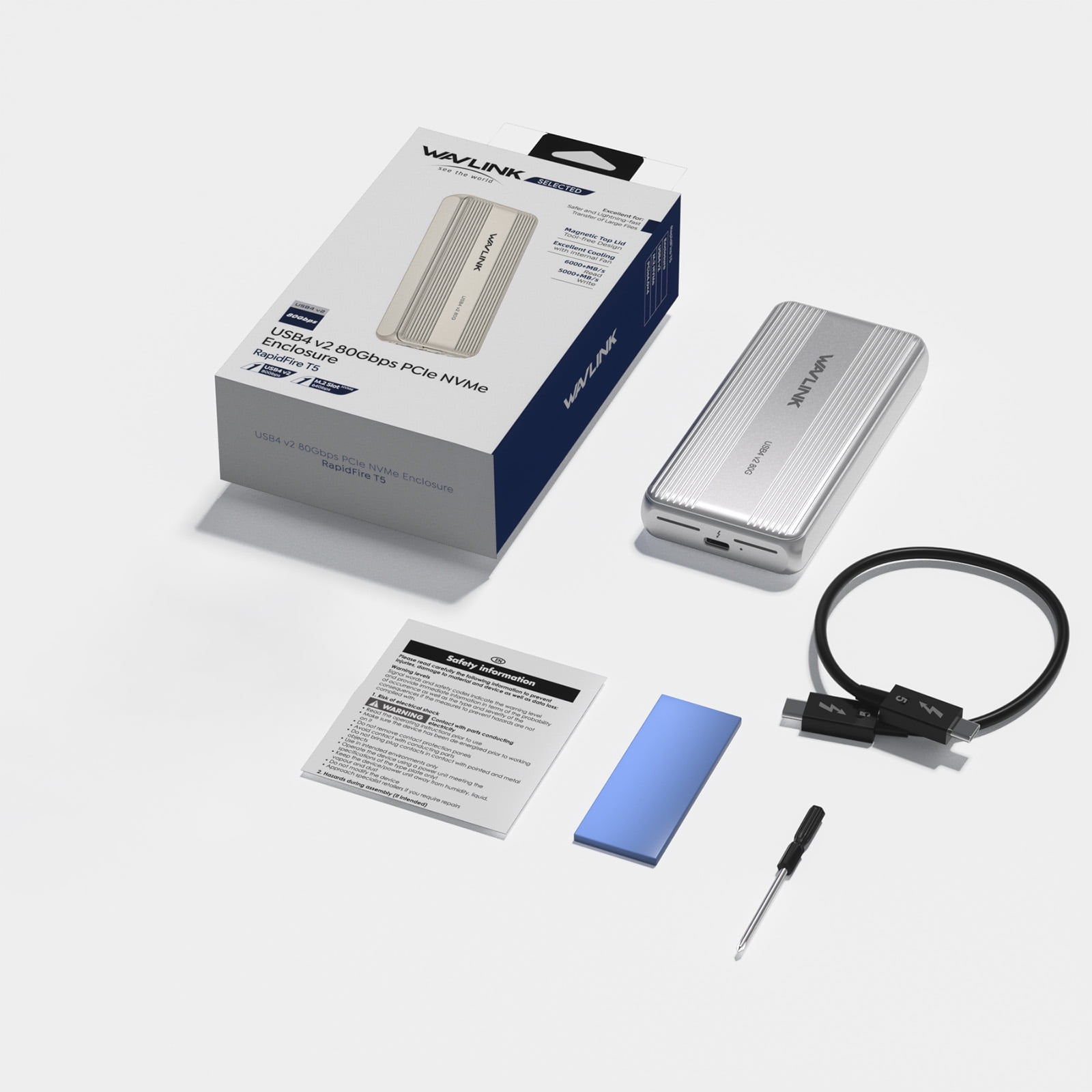
<b>WAVLINK Future-Ready 80Gbps USB4 V2 PCle NVMe Enclosure: Speed Meets Efficiency</b><br>Discover a new dimension of storage performance with WAVLINK's latest 80Gbps USB4 V2 NVMe PCIe SSD Enclosure, expertly engineered to shatter transfer speed barriers. By leveraging the latest USB4 v2 technology and a premium Thunderbolt 5 data cable, this SSD enclosure achieves breathtaking speeds of up to 80Gbps. And the technological marvel JHL9480 chip amplifies transmission speed and stability, ensuring a reliable user experience.<br><br><b>Compatibility Notes:</b><br><b>Systems:</b> <u>Windows 11 23H2 (build 22631.3235 and later), Mac OS 15.2 or later;</u><br><b>Host:</b> <u>Compatible with Thunderbolt 5/4/USB4 V2/USB3.2/3.1/3.0 Type-C computers supporting 15W or higher power delivery.</u><br><b>SSD:</b> <u>Support PCle 4.0x4 NVMe M-key and B&M-Key SSDs(both one-side and double-side) in sizes of 2280; NOT support M.2 PCIe 5.0, B-Key SSDs and AHCI SATA SSDs.</u><br><br>⚠<b>Important Note for the SSD Enclosure Compatibility with SSDs</b><br>As a pioneering technology, USB4 V2 may encounter some compatibility issues in its initial phase. We are actively working to address these challenges. To ensure stable performance and a seamless experience, we currently recommend using the following SSDs:<br><b>✓</b>WD BLACK SN850X<br><b>✓</b>Crucial P310<br>【Please note that compatibility may vary depending on the device and system configuration. We appreciate your understanding and patience as we continue to optimize and improve our product's performance.】<br><br><b>SSD Enclosure Specification:</b><br>1.Model: WL-UTE51<br>2.Unit Size: 12.3x5.8x1.9cm/4.8x2.3x0.7in(WxDxH)<br>3.Cable Length: 25cm/9.8in<br>4.Unit Weight: 200g/7.1oz<br>5.Housing Material: Aluminum Alloy<br>6.LED Light: Green<br><br><b>Features:</b><br>- This SSD enclosure Support 80Gbps transfer with 6000+ MB/s sequential read and 5000+ MB/s write on Thunderbolt™ 5/USB4 V2 computers.<br>- Support USB3.2/3.1/3.0 Type-C computers.<br>- Support PCle 4.0x4 NVMe M-Key SSDs in 2280 size.<br>- Support Plug and Play with no driver required.<br>- Support magnetic top cover for tool-free installation and a compact, slim body for portability.<br>- Support smart internal fan for efficient heat dissipation and noise reduction.<br><br><b>In the Box:</b><br>- 1 x USB4 V2 80Gbps PCle NVMe Enclosure<br>- 1 x Thermal Silicone Pad<br>- 1 x Thunderbolt TM 5 Cable<br>- 1 x Screwdriver<br>- 1 x Quick Start Guide<br><b><u>【⚠ Note: the NVMe SSD is not included】</u></b><br><br><b>Warm Tips:</b><br>- The NVMe SSD is not included in this SSD enclosure box.<br>- Please ensure your computer's USB-C port supports 15W or higher Power Delivery (PD) for SSD enclosure hassle-free operation.<br>- The performance will be limited on TB4, USB4 V1 and normal USB ports. To get the advertised SSD enclosure performance, the host should support TB5 or USB4 V2 and it should support 80Gbps.<br>- This SSD enclosure test result for Max.6000+MB/s reading and Max.5000+MB/s writing is the best result tested by our own test environment, and the specific effect is determined by the computer configuration and your SSD.<br>- If the SSD is brand-new and unformatted, please perform partition installation so that the computer can read the data normally. If the SSD is formatted and has stored data, you have no need to perform partition installation because the computer can read the data normally.<br><br><b>FAQ :</b><br><br><b>Q1. Why Thunderbolt™ 3 PCs can not recognize this SSD enclosure?</b><br>A1. It is an innovation which was not available at the time Thunderbolt™ 3 PCs were developed. Thunderbolt™ 3 PCs launched in previous years do not support this new technology.<br><br><b>Q2. Why doesn't the SSD enclosure work after connecting it to the USB-A/USB-C PCs?</b><br>A2. This Enclosure is not compatible with USB-A PCs, and the port on the USB-C PCs must support USB 15W or above.<br><br><b>Q3. Why doesn't the SSD enclosure work with a Type-C port that only supports USB 2.0?</b><br>A3. The product isn't compatible with USB 2.0, so it won't work with a Type-C port limited to USB 2.0 speeds.<br><br><b>Q4. Why isn't my SSD recognized when installed on this SSD enclosure?</b><br>A4. The product uses advanced Thunderbolt 5/USB4 V2 tech, which might not be compatible with older SSDs. Use recommended SSDs or contact support for assistance.<br><br><b>Q5. Why can't the SSD be read after switching to different system, such as Windows and Mac?</b><br>A5. Different computer systems support different SSD formats, which may cause the SSD to be unrecognizable after switching computers. Check that the SSD is formatted in a compatible format like APFS, NTFS, exFAT, FAT32, etc.<br><br><b>Q6. Why does a "USB4 device functionality may be limited" or "Thunderbolt device functionality may be limited" message pop up on the bottom right of the PC?</b><br>A6. This occurs due to connection to a non-Thunderbolt/non-USB4 port, which limits functionality, commonly resulting in non-operation or reduced speed.<br><br><b>Q7. Why does this SSD enclosure have different performance when used on different computers?</b><br>A7. The actual speed depends on your computer's performance including hardware interfaces, system, drivers, etc.<br><br><b>Q8. Why this SSD enclosure can't reach 40/80Gbps?</b><br>A8. That's because the available PCle bandwidth for Thunderbolt 4/USB4 is 32Gbps, and for Thunderbolt 5/USB4 V2 is 64Gbps.<br><br><b>Q9. Why doesn't the test on my computer reach the advertised speed?</b><br>A9. Test data is based on WAVLINK Labs results, actual speeds may vary depending on your computer's hardware and software configuration.<br><br>
- 【 80Gbps Speed with USB4 V2】This SSD enclosure achieves lightning-fast 6000+MB/s read and 5000+MB/s write speeds (Based on WAVLINK lab results). Engineered with JHL9480 chip, it outperforms traditional USB4 drives by 300%, transferring a 60GB 8K video in under 10 seconds.
- 【Broad Compatibility for Seamless Use】Compatible with the latest M4 MacBooks and Windows 11 PCs, this USB4 V2 SSD enclosure works flawlessly across various interfaces, including Thunderbolt 5, Thunderbolt 4, USB4 V2, USB4 V1, and USB 3.2/3.1/3.0. [⚠Please ensure your computer's USB-C port supports 15W or higher Power Delivery (PD) for hassle-free operation.]
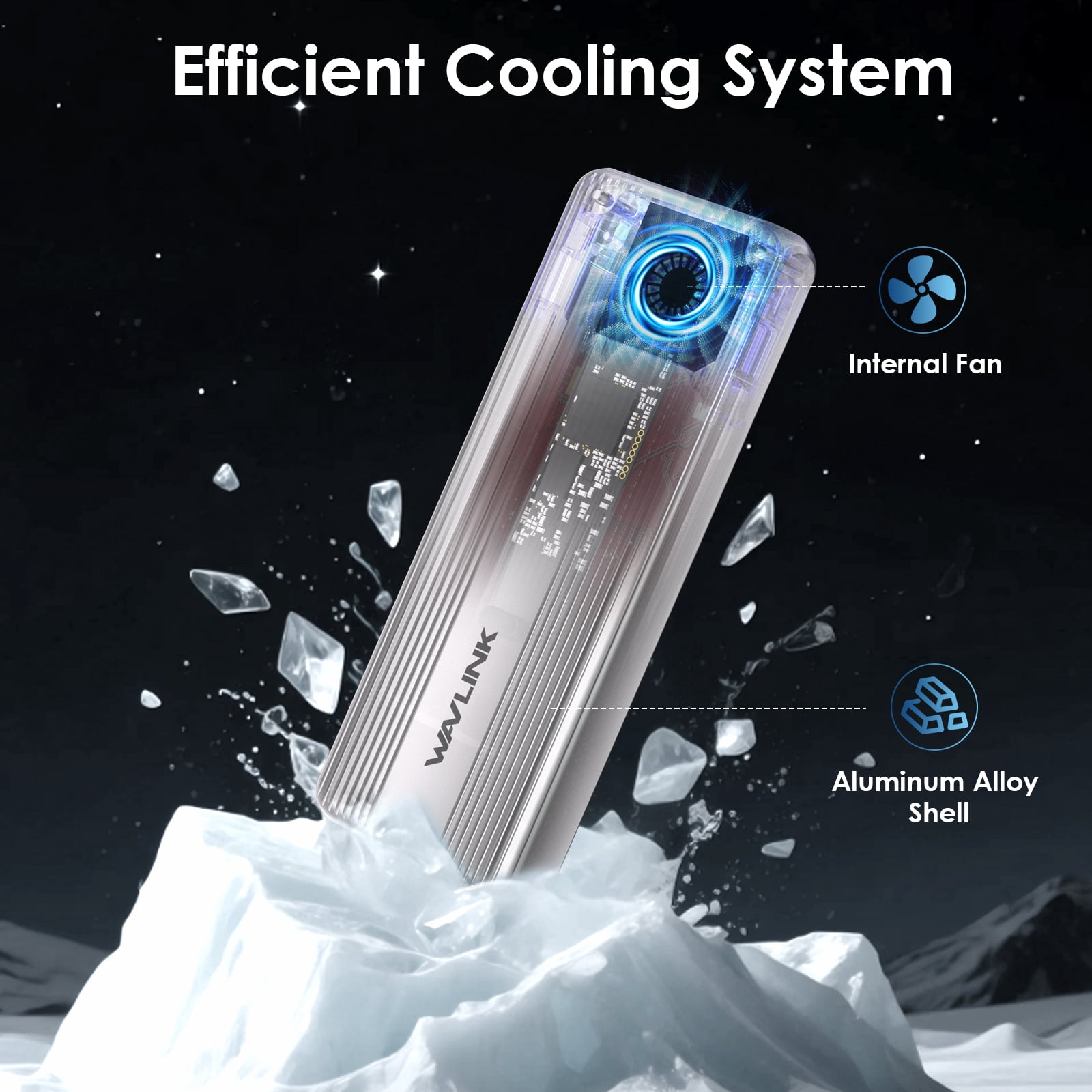
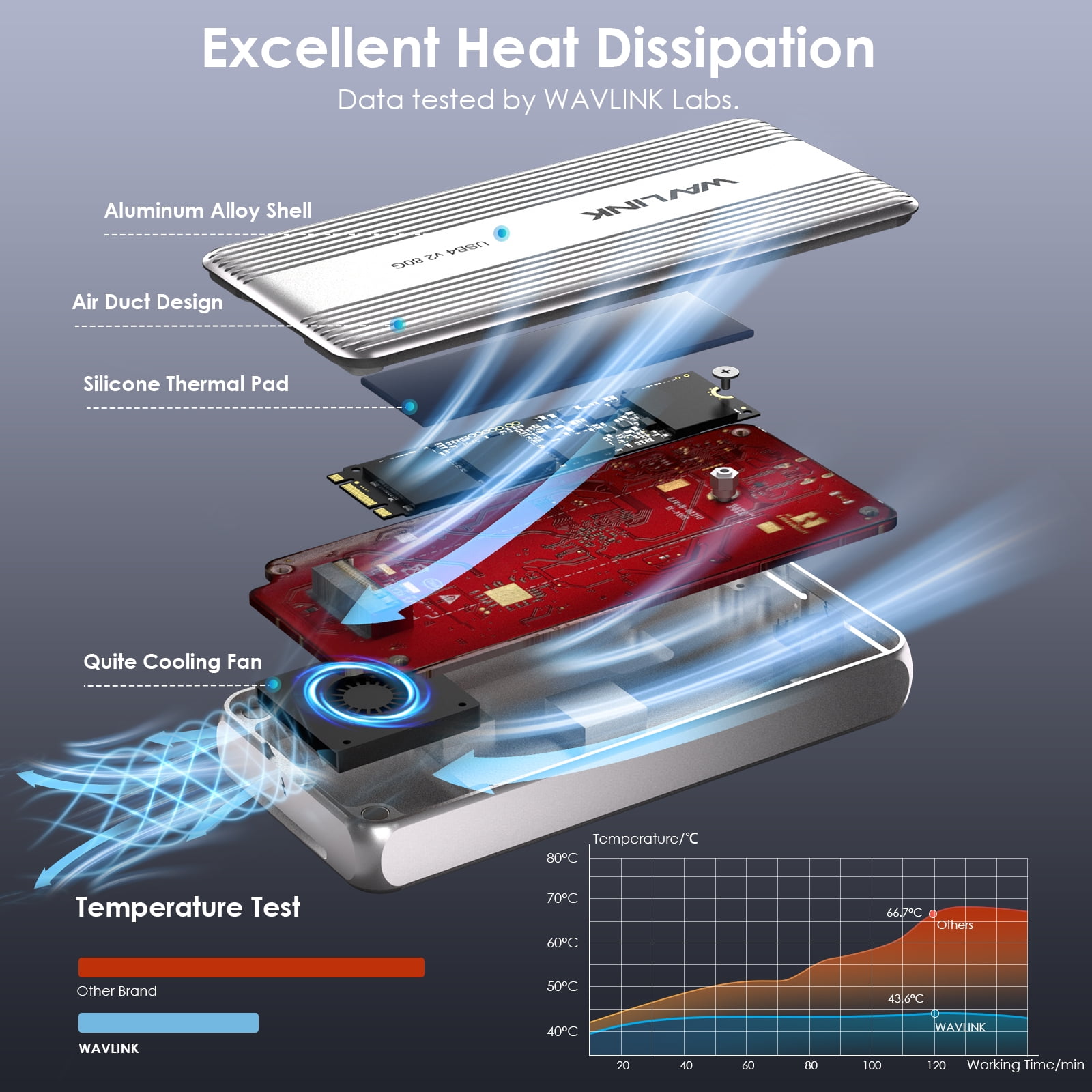
- 【Efficient Cooling for Extended Operation】Equipped with an intelligent cooling system and a high-quality aluminum alloy body, this SSD enclosure ensures stable long-term operation. The smart fan automatically kicks in at 42°C, providing rapid cooling, and shuts off at 38°C, minimizing noise pollution.
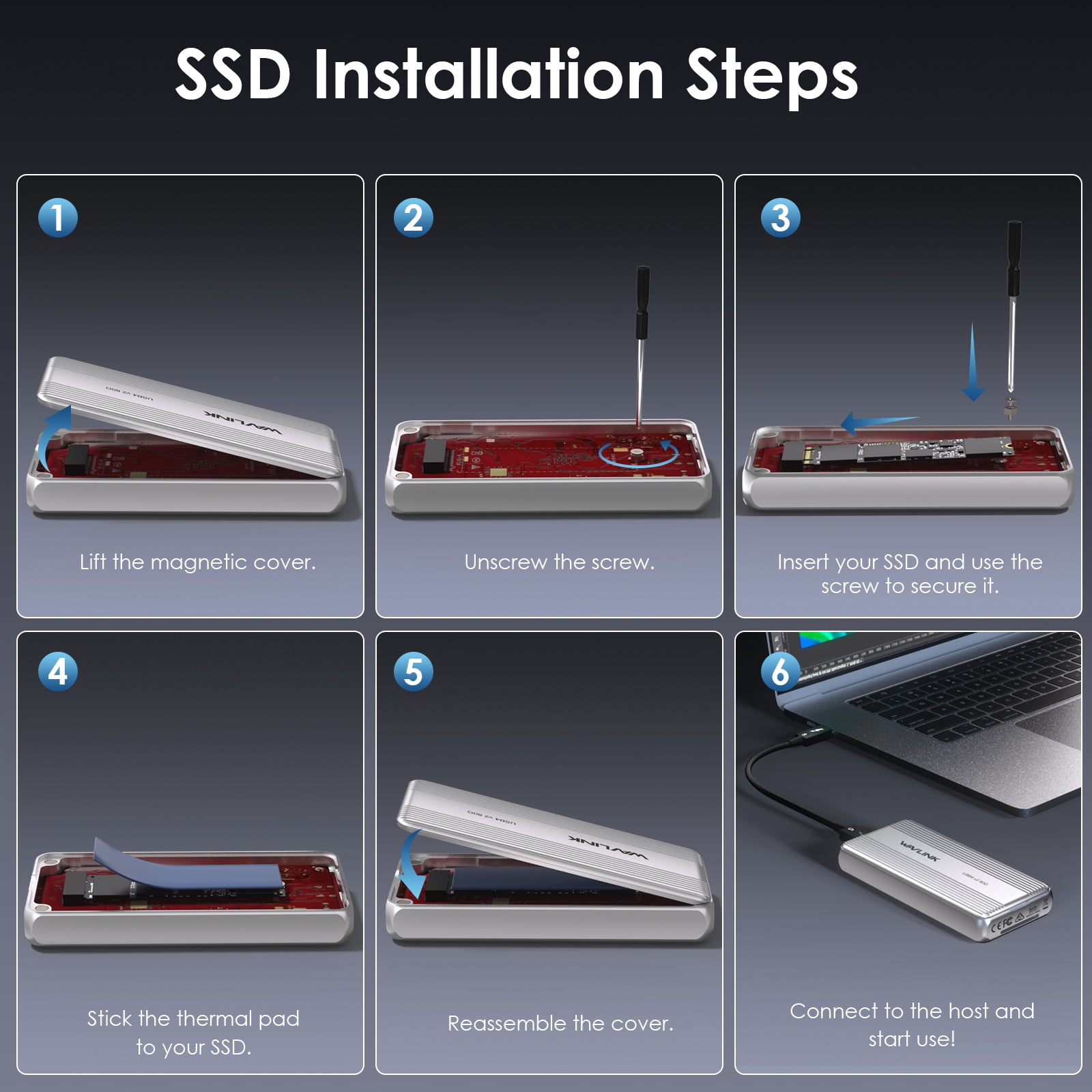
- 【 Massive Storage Capacity & Effortless Installation】This SSD enclosure supporting up to 8TB of SSD storage. Design with magnetic cover, eliminating the need for complicated steps or tools. Compatible with PCIe 4.0x4 NVMe M-Key SSDs in 2280 size. (To achieve speeds exceeding 3000MB/s, please use a SSD with PCIe 4.0 x4 and NVMe 1.4 or above, and avoid M.2 PCIe 5.0.)
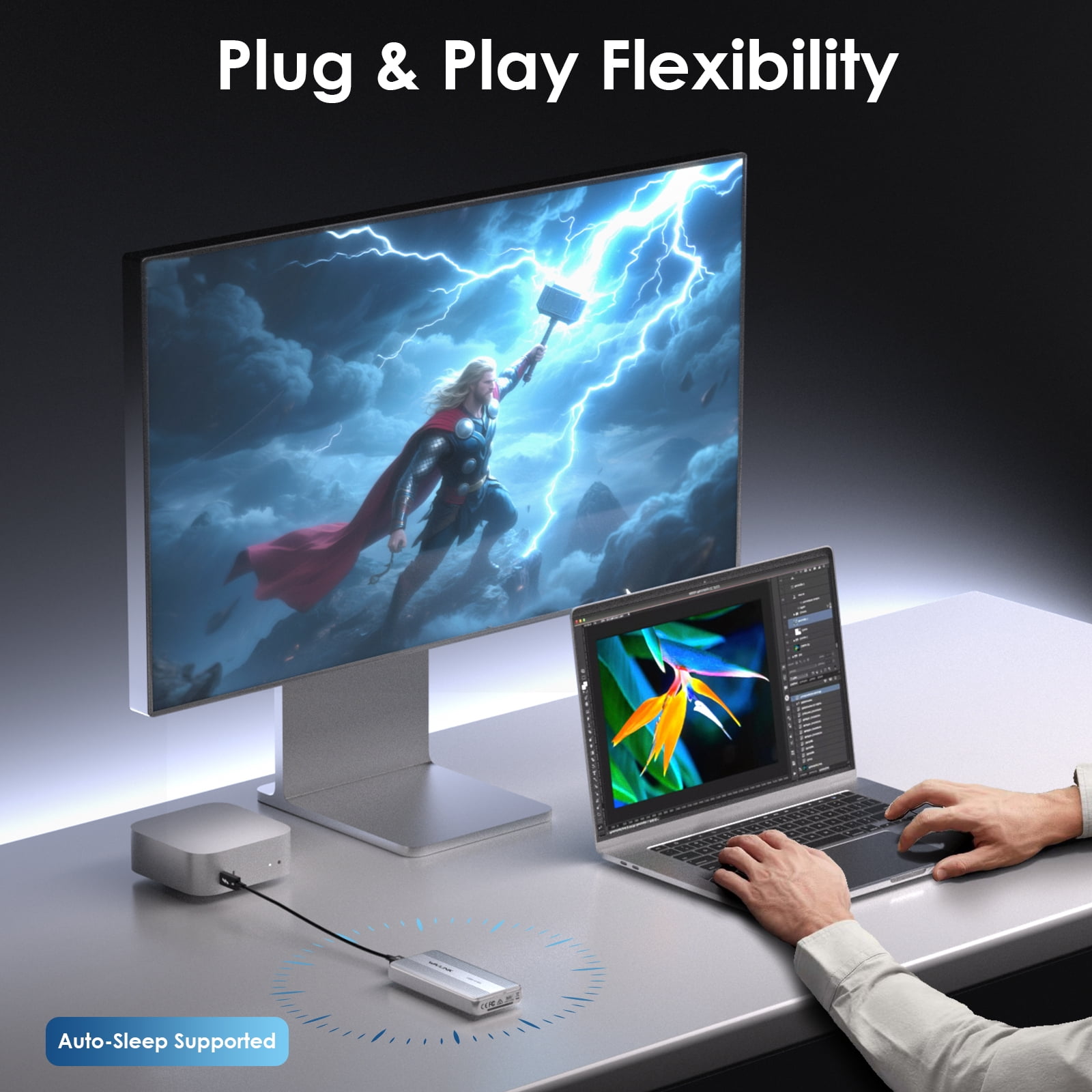
- 【Plug & Play with Ultimate Portability】With a plug-and-play design, simply connect the USB4 v2 SSD enclosure to your computer and you're ready to go. Its compact size and lightweight make it the ideal companion for remote work, travel, or coffee shop sessions.
| HD capacity | 0 TB |
|---|---|
| Brand | WAVLINK |
| Internal/external | External |
| Interface type | Thunderbolt, USB 3.2, USB 3.1, USB 3.0, USB-C |
| Hard drive form factor | M.2 |
| Read speed | 6000 MB/s |
| Write speed | 5000MB/s |
| Rec. use | Personal Cloud, Gaming, Enterprise, Desktop Replacement, Laptop Replacement, NAS |
| Model name | UTE51 |
| Cache memory | 0 KB |
| Accessories | USB4 V2 80Gbps PCle NVMe Enclosure, Thermal Silicone Pad, Thunderbolt TM 5 Cable, Screwdriver, Quick Start Guide |
| Height | 1.77 in |
| Weight | 0.77 lb |
| Compatible models | Thunderbolt 5/4/USB4 V2/USB3.2/3.1/3.0 Type-C computers (supporting 15W or higher power delivery) |
| Compatibility | Windows 11 23H2 (build 22631.3235 and later), Mac OS 15.2 or later |
| Retail packaging | Set |
| Multipack quantity | 1 |

Bestseller ranking
Computers


Customers who viewed this product also viewed
Hot Wheels City



Correction of product information
If you notice any omissions or errors in the product information on this page, please use the correction request form below.
Correction Request Form